
FAST WhatsApp: Cart Recovery
shopify whatsapp cart recovery app
See who abandoned their cart. Win them back on WhatsApp.

The problem
Roughly seven in ten carts are abandoned, and the standard response is a recovery email that lands in Promotions beside forty others. The apps that recover carts over WhatsApp instead — where the message is actually read — meter it, because they route every message through Meta's Business API and pay per conversation. So the channel that works is the one that costs, and the channel that is free is the one nobody opens.
How it works
Install and place the button
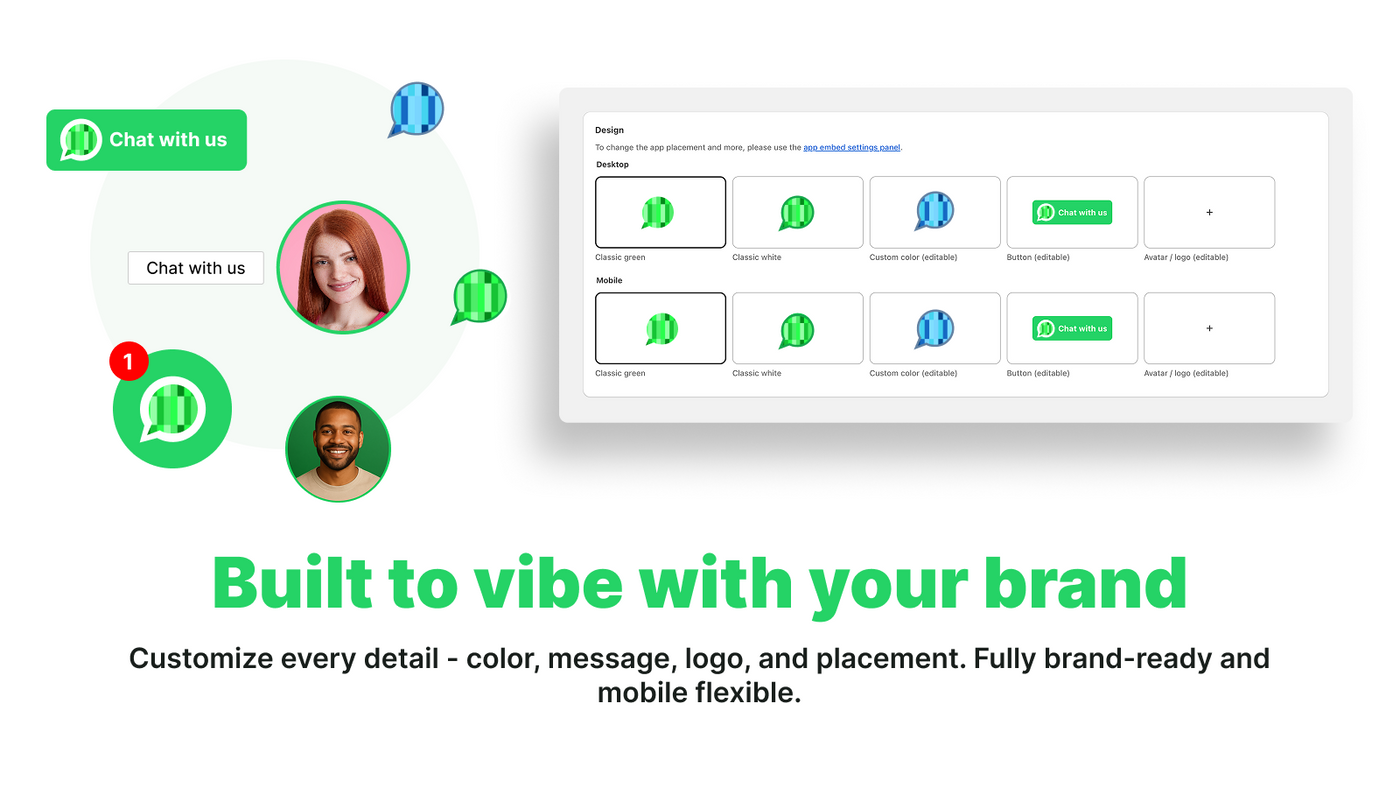
Add the chat bubble from the theme editor. Choose where it appears — every page, product pages only, or a specific set — and how it looks on mobile versus desktop.
Set your hours and message
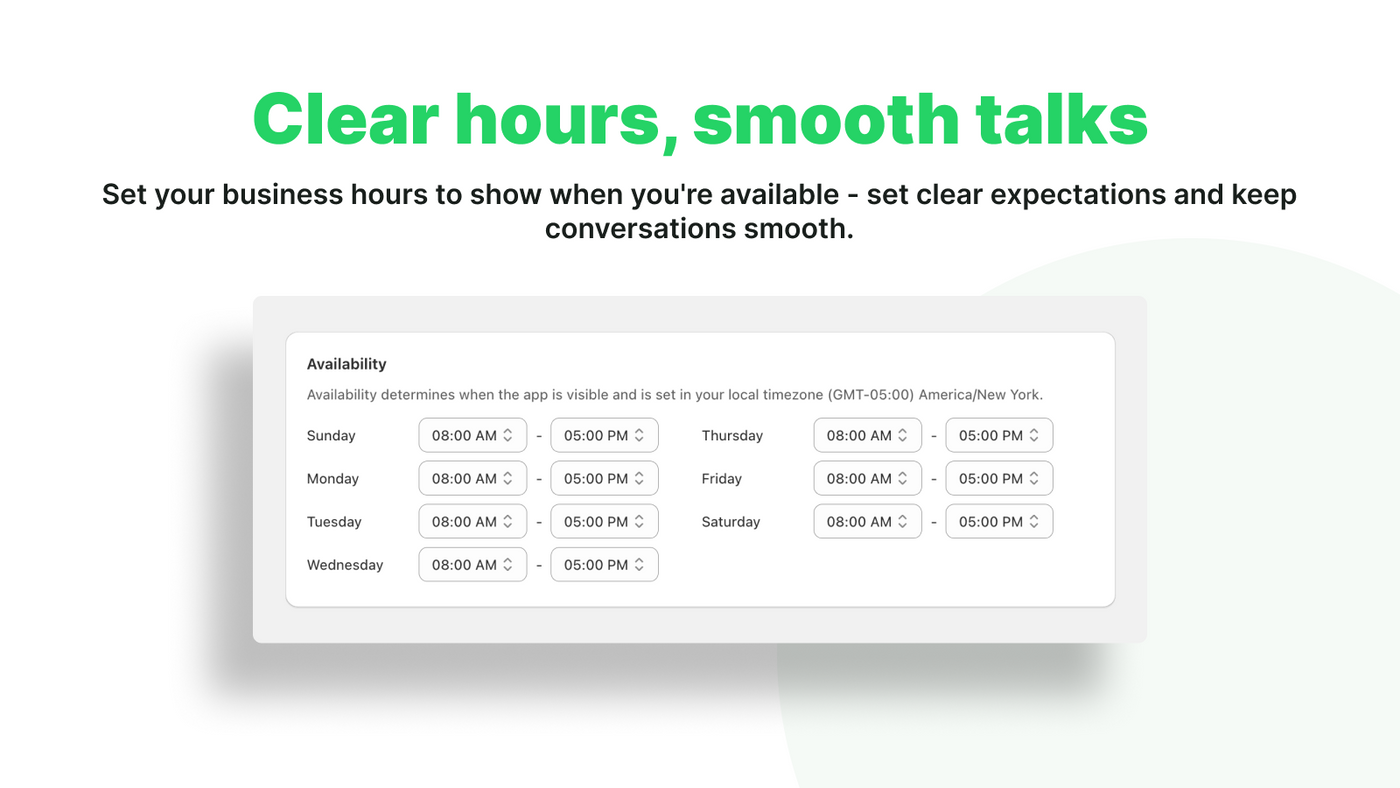
Define business hours so the widget shows availability honestly, and write a prefilled message that includes the product the shopper is looking at.
Answer where they already are
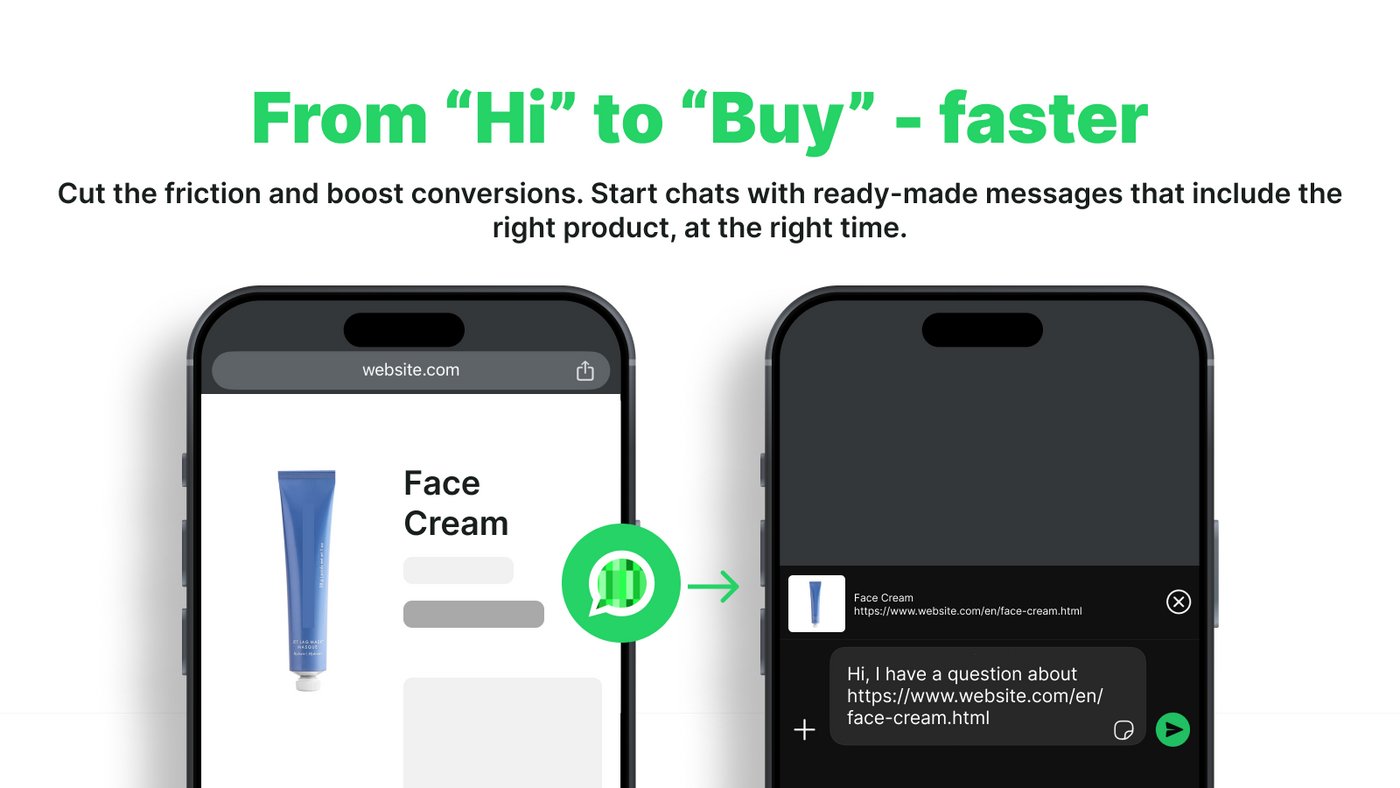
Taps open WhatsApp with context attached. You reply from your phone, and the conversation continues in a channel that keeps its history.


What you get
Cart Recovery
Every abandoned checkout in one place, with the phone number to reach them on. Send a pre-written WhatsApp reminder in a click — carts mark themselves Recovered when the customer buys.
Order Confirmations
Confirm an order on the channel people actually open, in the same one click. Editable template, and a per-customer opt-out on both message types.
Free, with no per-message fees
Messages open in your own WhatsApp and are sent by you, so there is nothing to meter. No Meta Business API, no templates waiting on approval, no conversation caps.
Smart prefilled messages
Every conversation opens with the product name and link already filled in, so you never start with 'which item do you mean?'.
Business hours
Show availability honestly. Outside your hours the widget sets expectations instead of leaving a message unanswered.
On-brand styling
Colour, position, size and label are all yours. The bubble reads as part of the store, not a bolted-on third-party widget.
Pricing
No commission, and no charge for features you are not using.
Free
$0Everything, permanently. Not a trial.
- Cart recovery reminders
- Order confirmations
- Unlimited conversations
- No per-message fees
- Full styling controls
What merchants say
- ★★★★★
“easy, fast and very comfortable!”
Bask Cheesecake BoutiqueUnited Arab Emirates - ★★★★★
“GOOD”
NOVACAPSGuatemala - ★★★★★
“GOOD”
Purshase nowPakistan - ★★★★★
“I have attempted to use several Whatsapp chat providers and none have been as easy to set up and have provided the instant support of this team. Use with confidence they are crushing the whatsapp game and are a third party Shopify provider I can say I trust. Be careful alot of reviews dont signify current quality of service.”
Titan Nutrition COColombia - ★★★★★
“great features”
Kiko RikoIndia - ★★★★★
“top”
MorowallMorocco - ★★★★★
“Great app, works smoothly and as described. Fast and helpful customer service too. Don't plan on uninstalling this ever!”
Red Light HeroAustralia - ★★★★★
“very easy to integrate and the support team is giving excellent assistance when needed.”
MimokeSpain - ★★★★★
“What else can you ask for? A simple yet intuitive app that lets you connect with your customers through WhatsApp. Customizable and programmable, suitable for small businesses. Our experience has been good, which includes testing. Edit: One of the features we love about it is page-specific deployment of a floating widget with a smooth entrance animation. We use it only on the Contact page, which looks niche.”
OLIGARCHIndia - ★★★★★
“Por el momento funcionando perfectamente. Su configuración fue rápida y sin problema.”
CORRUEMPMexico - ★★★★★
“Works well so far and a lot available for free!”
Forever FlowersSouth Africa - ★★★★★
“Really amazing, easy to use and free app. Perfectly suited to my usecase. Highly recommend it. Thank you Guys.”
TheFigureOutIndia - ★★★★★
“شكرا للبرنامج و طاقمه ومساعدتهم”
أكاديمية عينSaudi Arabia - ★★★★★
“Fast installation. I had a doubt and it was solved fast, well not, actually inmediate response. The whatsapp button looks nice, it has a fast response. Just as expected! Recommend 100% for a simple and fast working solution”
Pastelería Natural La LuciérnagaSpain
Questions about FAST WhatsApp
Does it send the reminders automatically?
No, and that is deliberate for now. You see the message, you press send, and it goes from your own WhatsApp — so nothing leaves in your name that you have not read. Automatic reminders aren't available yet.
Why do some carts show no phone number?
Because the customer did not leave one. Most Shopify checkouts ask only for an email address by default. In Settings → Checkout, set Customer contact method to 'Phone number or email' and more customers will leave a number — though they still choose which one to enter, so it is never every order.
Do I need the WhatsApp Business API?
No. Messages open in the WhatsApp you already use, on your own number. There is no Meta Business API to apply for, no message templates waiting on approval, and no per-conversation fee.
Is cart recovery really free?
Yes, permanently. Other WhatsApp apps charge per message because they send through Meta and pay for every conversation. We do not send anything — you do, from your phone — so there is nothing for us to meter.
Can I stop messaging a particular customer?
Yes. Mark them opted out and the send action is disabled for that person on both cart reminders and order confirmations. It is reversible if they ask you to get back in touch.
Do I need a WhatsApp Business account?
A regular WhatsApp number works. WhatsApp Business is worth having for away messages and a catalogue, but the app does not require it.
Will the chat button slow my store down?
No. The widget is a small script that loads after your page content, so it does not compete with your images or block rendering.
How much does it cost?
It is free. There is no paid tier, no conversation cap and no commission.


